


All AC500-eCo PLC’s are supported with a maximum of 4 PTO axis via onboard I/O channels.
After creating the hardware tree, Automation Builder will launch the “Motion Solution Wizard” overview page. From here user can add the PTO axis to the application by clicking on the [Add PTO axis] button from the “Motion Solution Wizard” overview page.
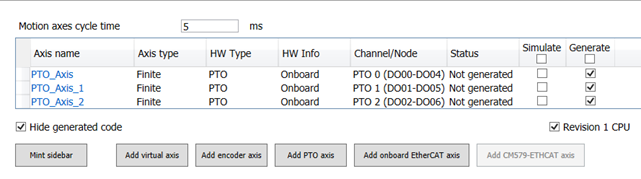
-
PTO axis objects