


The log files can be viewed and downloaded directly from the PLC. To access the CSV file via the host location, copy the file from the sdcard from the respective folders required and select the folder in the local machine to save the CSV file. Using the shift left button move the required CSV file into the selected folder. By double clicking on the file which is copied to the local machine the CSV file shall be opened in the excel.
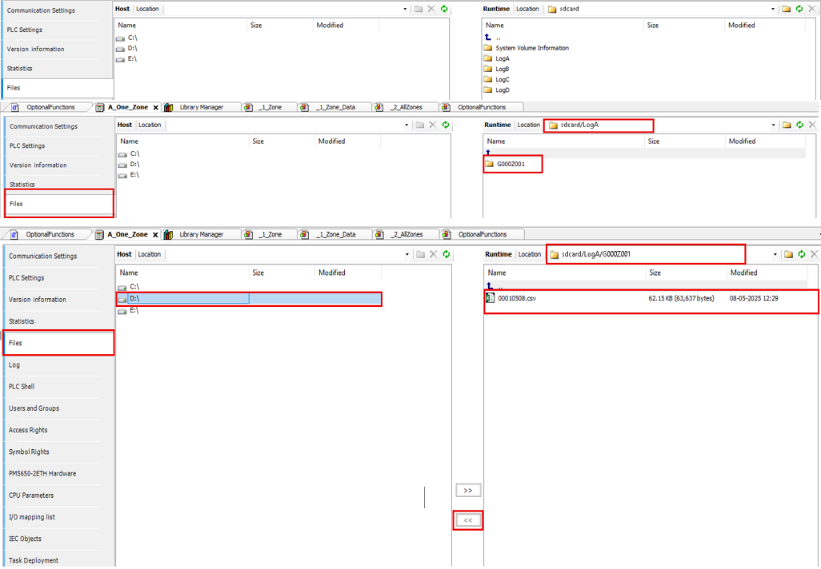
After a log file downloaded to PC, it can be opened with Excel in separate columns (delimited by semicolon).
For the backup files (files without .CSV extension), they can be renamed into CSV file and opened with Excel. For example, can be 01011005.E42 renamed into 01011005.E42.CSV (keep-ing the original extension to avoid duplicated file name).
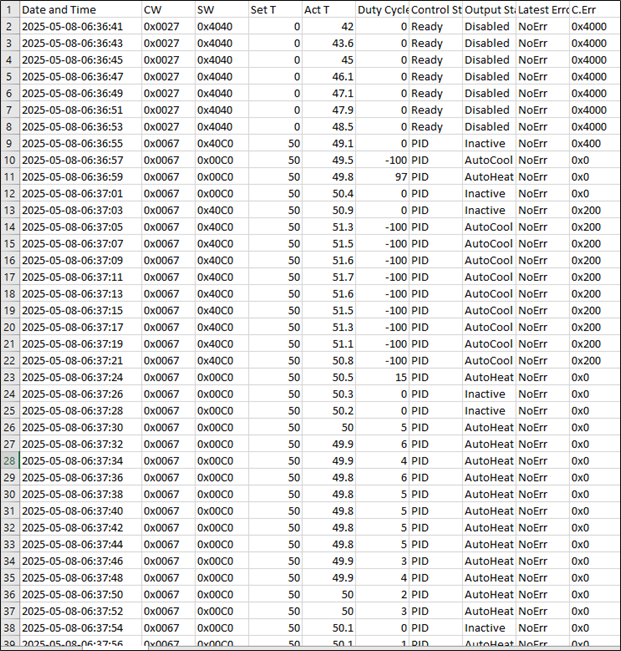
The figure below shows the log example opened in CSV file.
The log data can be analyzed easily with Excel using charts.
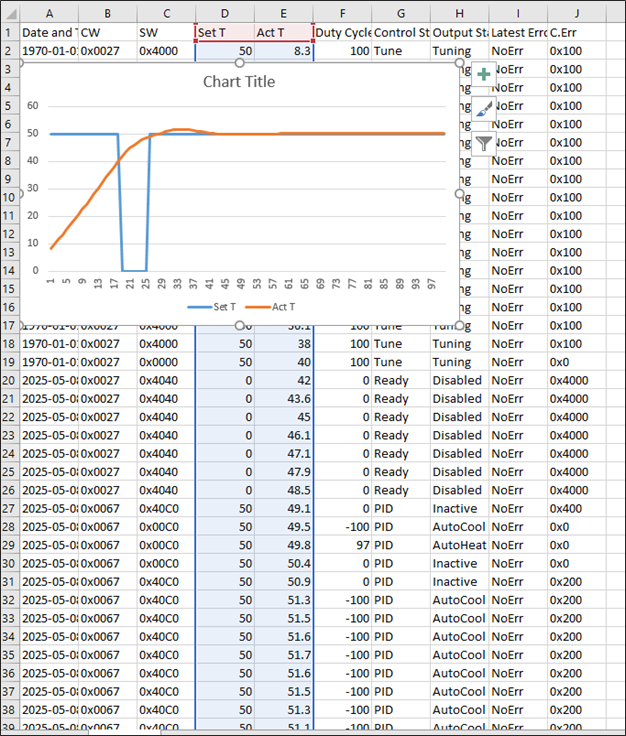
This file can be then saved in .xlsx format to keep the graph or later analyze the variables.