


Logging in to the CPU loads the project into the processor module. The first login also loads the hardware set-up.
-
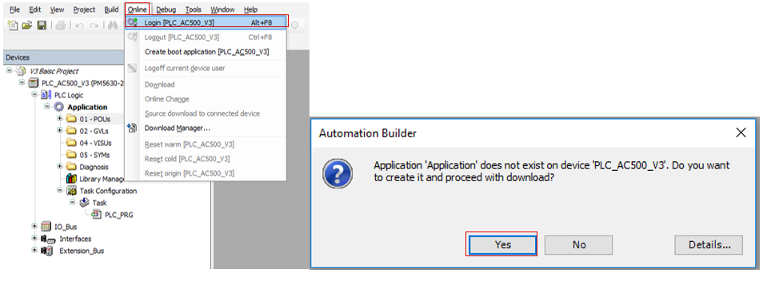
In the Automation Builder menu, select “Online Login [PLC_AC500_V3]”.
A dialog opens.
-
Select [Yes] to download the application to the PLC.
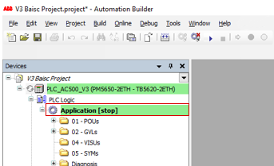
PLC is in "stop" mode.
-

Start the PLC.
When the CPU is in RUN mode, i.e. in program execution mode, a download triggers an automatic switch to "stop" mode. In stop mode the CPU does not control the system!
Always, after selecting the “Login” command, the dialog text must be reviewed carefully to understand the CPU behavior before confirming the operation.
Default download behavior in the CPU:
-
The project is stored in the RAM memory.
-
The project is stored in the EEPROM flash, if a boot application has been created.