


The IP configuration tool is part of Automation Builder and can be started via “Tools IP-Configuration”. A separate installation is required only if the IP configuration tool shall be used stand-alone.
-
Open the Installation Manager in Automation Builder: “Tools Installation Manager”.
-
Close all other instances of Automation Builder. Only one instance of the program can be executed at a time.
-
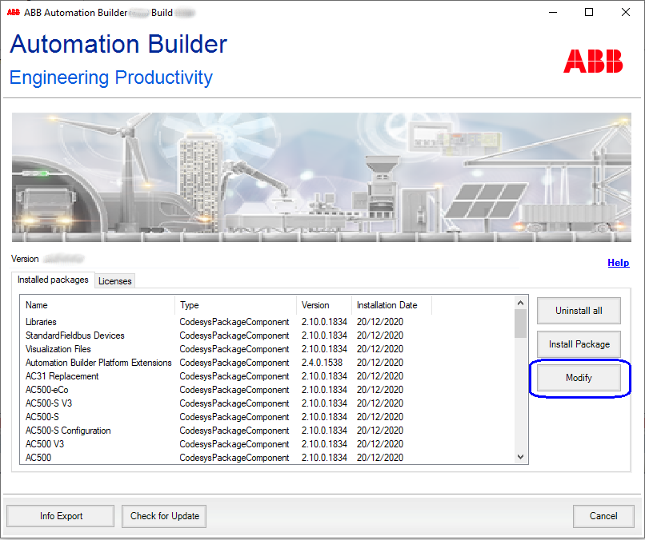
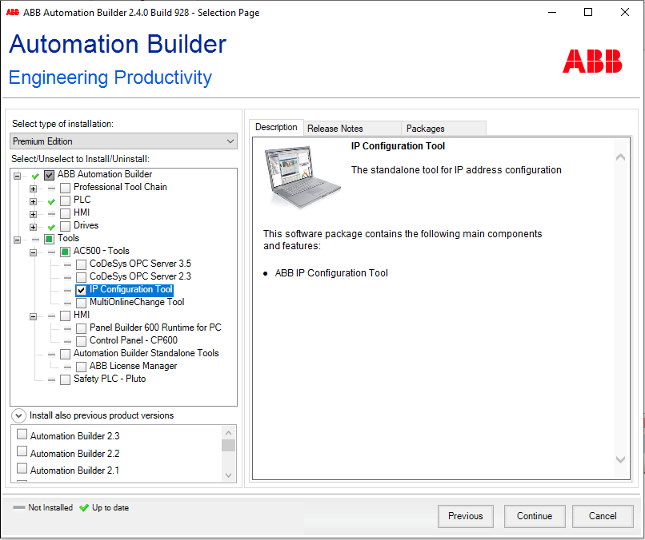
Click [Modify] and select the “IP Configuration Tool” from the structure tree.
-
Click [Continue] to start the installation.
After a successful installation, the IP configuration tool is available as stand-alone tool (*.exe).
To start the IP configuration tool, click the new created desktop icon.